Posts

Google Map in Sharepoint SPFx with Angular

Image
1) Introduction This article is going to describe how to set up S harepoint Framework (SPFx) Development with Angular using a template project created by Sahil Malik which is available at  https://github.com/maliksahil/SPFxAngularCLI I modified Sahil's work, integrated Google Map API and Goodzer API to an Angular Sharepoint SPFx web part. The modified code is available at  https://github.com/shahimsadakath/spfx-google-map-sample If you are new to Sharepoint SPFx and you haven't set up your development environment yet. My previous article at  http://shadotnet.blogspot.com/2018/05/starting-sharepoint-framework-spfx.html  will be useful. Let's get started. 2) Steps to integrate Goodzer API Register yourself at   https://developer.goodzer.com/signup/  and get a free API Key  I added a file named  app.settings.ts to store the API Key as shown below in src->app folder export class AppSettings {          ...
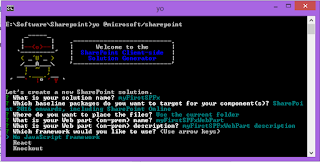
Starting Sharepoint Framework (SPFx) Development Environment in your PC

Image
1) Introduction This article is going to describe how to set up S harepoint Framework (SPFx) Development Environment locally in your PC . Before you start you must have a little bit knowledge or understanding of following technologies/tools, Sharepoint 2016 or greater (Which supports  SPFx) Node.js Npm Typescript Visual Studio Code 2) What is Sharepoint Framework (SPFx) The SharePoint Framework (SPFx) is a page and web part model that provides full support for client-side SharePoint development, easy integration with SharePoint data, and support for open source tooling. With the SharePoint Framework, you can use modern web technologies and tools in your preferred development environment to build productive experiences and apps that are responsive and mobile-ready from day one. The SharePoint Framework works for SharePoint Online and soon also for on-premises (SharePoint 2016 Feature Pack 2) 3) Why we should use Sharepoint Framework? As I personally bel...

Secured Web API using ExpressJS and JSON Web Token in Visual Studio

Image
Hi Guys, This time I created a secured Web API using ExpressJS and JSON Web Token in Visual Studio. Hope you guys like it. 1) Create Express JS Web Application in Visual Studio 2) Add jsonwebtoken by right clicking on npm -> Install new npm Packages 3) Create a file named api.js which will be our secured api and paste the following code 'use strict'; var express = require('express'); var router = express.Router(); var jwt = require('jsonwebtoken'); /* GET home page. */ router.get('/', function (req, res) {     res.render('index', { title: 'API' }); }); //Login method to get the token router.post('/login',  function (req, res) {     let user = { id: 3 };     let token = jwt.sign(user, 'app_secret');     res.json({ token:token }); }); //our protected resource router.get('/protected', ensureToken, function (req, res) {     jwt.verify(req.token, ...

Content Sharing using Google Drive ASP.NET MVC

Image
Hi Guys, I made a small content sharing portal using Google Drive and ASP.NET MVC Hope you like it. Things you must do before starting,  1) Register as a developer in google - https://developers.google.com/ 2) Create API Key and Client AUTH ID - https://developers.google.com/drive/v3/web/enable-sdk 3) Upload content to your google drive and grant public access 4) Create an ASP.NET MVC web application using Visual Studio 5) Create Page to Select and Save the ID of the uploaded content -  Store.cshtml @model BE.Video  <script type="text/javascript" src="https://apis.google.com/js/api.js?onload=onApiLoad"></script> <script>     $(document).ready(function () {         $("#gdriveSelect").click(function (event) {             event.preventDefault();             // do something         });     }); ...